File Selection Row
Audio Tab - File Selection Row
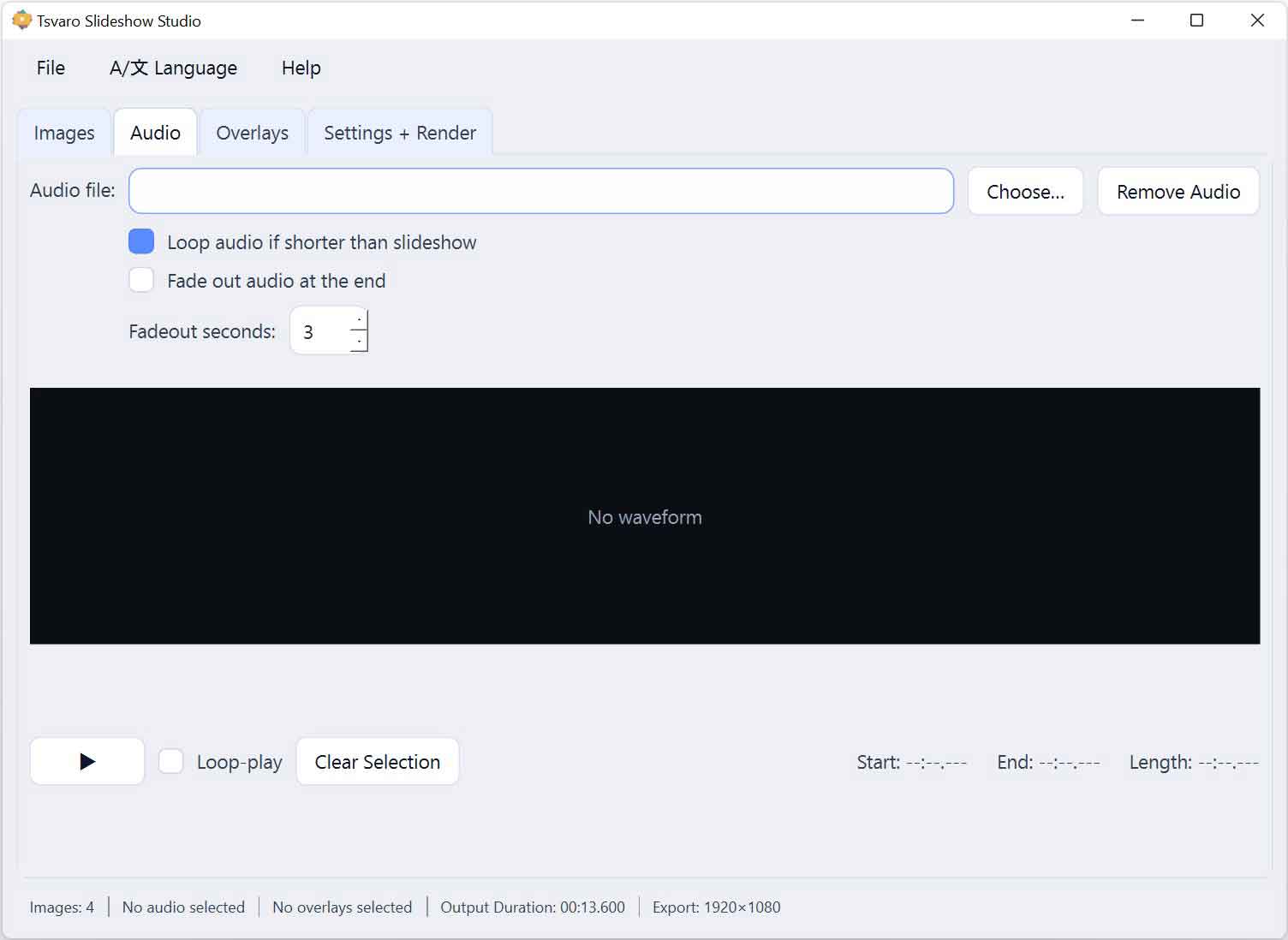
The File Selection Row at the top of the Audio tab in Tsvaro Slideshow Studio is used to load, replace, or clear the audio track associated with the slideshow. This row defines which audio file is used during playback preview and during final rendering.
Audio is optional in Tsvaro Slideshow Studio. You can render a slideshow without any audio, or you can add audio at any stage of the workflow using the controls in this row.
Choose…
The Choose… button opens a file selection dialog that allows you to select a single audio file.
- Once selected, the audio file becomes the active soundtrack for the project.
- If another audio file was already loaded, it is immediately replaced.
- The waveform preview below updates automatically to reflect the newly selected file.
This button is typically used when you want to add background music, narration, or any other sound source to accompany the slideshow.
Supported audio formats
Tsvaro Slideshow Studio accepts common audio formats suitable for video rendering workflows.
- MP3
- WAV
- AAC
- FLAC
- OGG
- M4A
Once loaded, the audio file is decoded internally and displayed as a waveform for visual inspection and precise selection.
File path display
After selecting an audio file, its file path is shown in the File Selection Row.
- This confirms which file is currently active.
- Changing the audio file updates the path immediately.
The displayed path is informational and cannot be edited manually.
Reset behavior on load
When a new audio file is loaded:
- Any previous waveform selection is cleared.
- The selection range resets to the start position.
- Playback preview returns to an unselected state.
This ensures that selections from a previous audio file are never accidentally applied to a newly loaded track.
Clear audio (no audio selected)
If the audio file is removed or no file is selected:
- The slideshow renders without audio.
- The waveform preview area becomes inactive.
- Audio-related options are effectively ignored during rendering.
This makes it easy to switch between silent slideshows and audio-backed slideshows without changing other settings.
Workflow notes
- You can add or replace the audio file at any time, even after configuring images, animations, or transitions.
- Audio selection affects both preview playback and final render output.
- No confirmation dialog is required when replacing an audio file; changes apply immediately.
The File Selection Row provides a clean and predictable entry point for audio handling, keeping sound management simple and flexible throughout the workflow in Tsvaro Slideshow Studio.