Language Menu & Supported Languages
Language Menu & Supported Languages
The Language menu in Tsvaro Slideshow Studio lets you switch the entire user interface language. This affects all visible UI text such as menu labels, tab titles, buttons, tooltips (where available), and messages shown inside the application.
Each language entry in the menu is presented as a selectable option. When you choose a language, the UI updates immediately to reflect the new language.
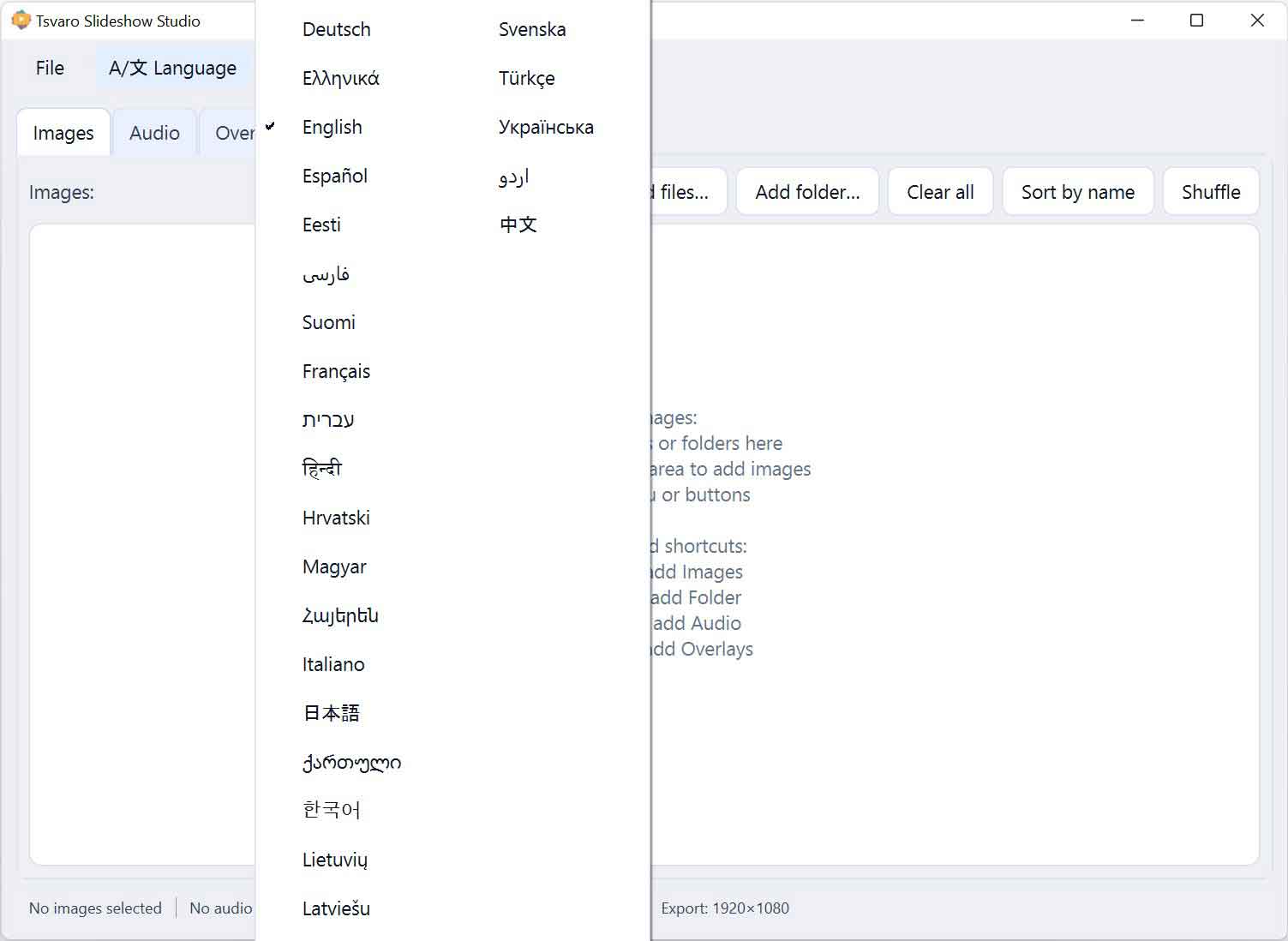
How language switching works
- Immediate UI update: When you select a language, Tsvaro Slideshow Studio applies the translation set right away.
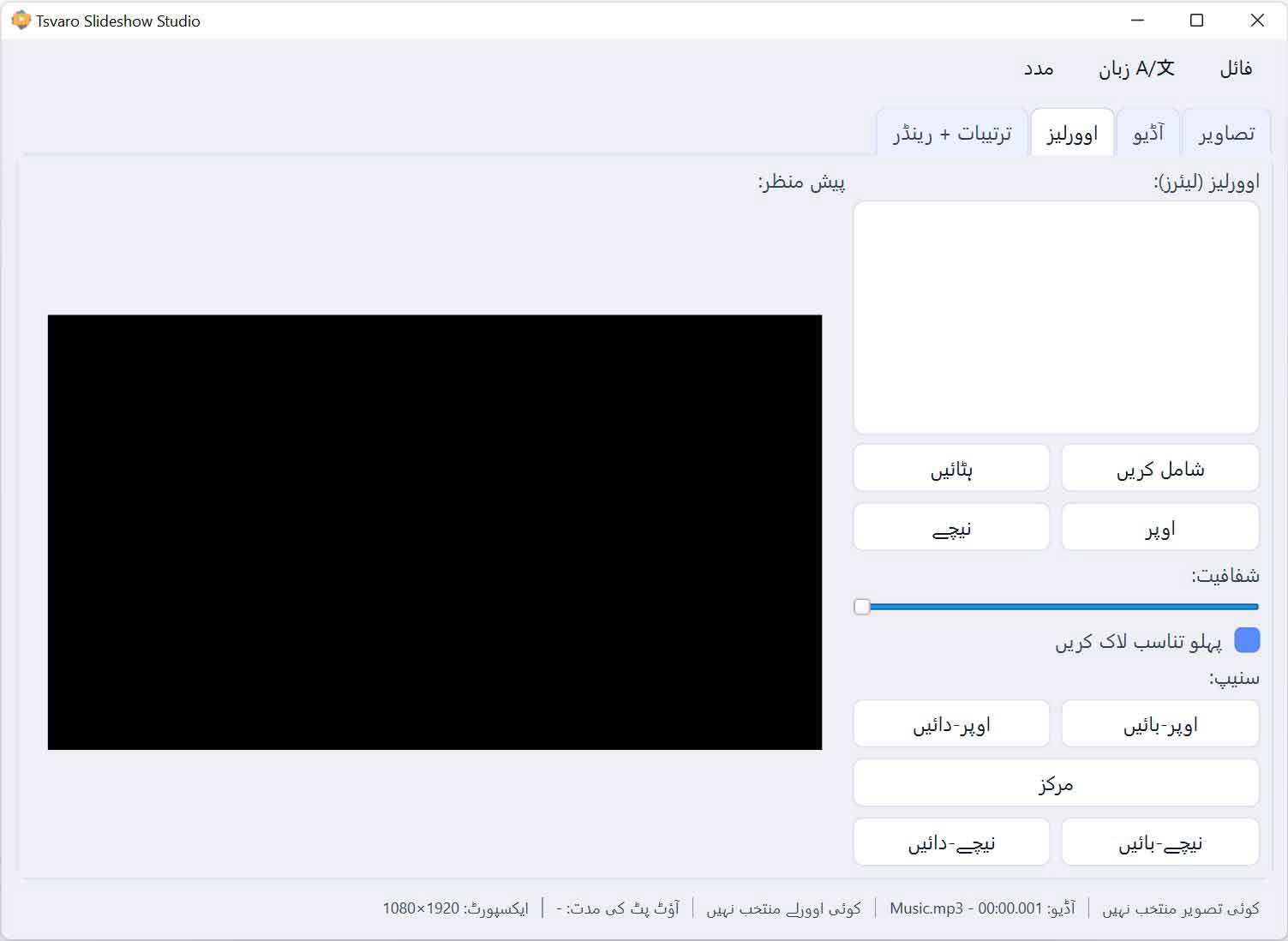
- Layout direction support: The application automatically applies the correct text direction depending on the selected language:
- LTR (Left-to-Right): Most languages use standard left-to-right layout.
- RTL (Right-to-Left): Arabic, Hebrew, Persian, and Urdu use right-to-left layout, and the entire application layout is switched accordingly so the UI remains readable and natural.
- Consistent behavior across all tabs: The language setting applies to the whole application (Images, Audio, Overlays, Settings + Render) and to all menus.
The goal is simple: the user should be able to work comfortably in their language without losing functionality or UI clarity.
Supported languages (current list)
Below is the full list of languages currently included in Tsvaro Slideshow Studio. The language code is shown first, followed by the language name:
- English
- German (Deutsch)
- French (Français)
- Spanish (Español)
- Italian (Italiano)
- Portuguese (Português)
- Polish (Polski)
- Dutch (Nederlands)
- Turkish (Türkçe)
- Russian (Русский)
- Ukrainian (Українська)
- Swedish (Svenska)
- Finnish (Suomi)
- Danish (Dansk)
- Norwegian (Norsk)
- Czech (Čeština)
- Slovak (Slovenčina)
- Hungarian (Magyar)
- Romanian (Română)
- Greek (Ελληνικά)
- Lithuanian (Lietuvių)
- Latvian (Latviešu)
- Estonian (Eesti)
- Bulgarian (Български)
- Croatian (Hrvatski)
- Slovenian (Slovenščina)
- Serbian (Srpski / Српски)
- Georgian (ქართული)
- Armenian (Հայերեն)
- Azerbaijani (Azərbaycanca)
- Hindi (हिन्दी)
- Chinese (中文)
- Japanese (日本語)
- Korean (한국어)
- Arabic (العربية) (RTL)
- Hebrew (עברית) (RTL)
- Persian / Farsi (فارسی) (RTL)
- Urdu (اردو) (RTL)
Help us improve translations
Translations are an ongoing effort. If you notice a typo, an incorrect phrase, a missing word, or you have a better natural-sounding version for any language, please tell us. Even small improvements (button text length, clarity, formality level) make the application feel more polished and easier to use.
When reporting a translation improvement, it helps if you include:
- The language code (for example:
fr,tr,ka) - The exact UI text you saw (copy/paste if possible)
- Where it appears (menu name, button label, tab name, dialog title, etc.)
- Your suggested corrected wording
Your feedback directly improves the quality of Tsvaro Slideshow Studio for everyone.
Request a new language
If your language is not listed and you would like it added, you are welcome to request it. We actively consider user requests and aim to include new languages in future builds whenever possible.
To request a new language, please include:
- The language name and (if known) its standard language code
- Whether it is LTR or RTL
- Any regional preference (for example, Brazilian Portuguese vs European Portuguese)
Language support is one of the ways Tsvaro Slideshow Studio stays accessible and grows into a more complete tool over time, and user requests are a major input into what gets added next.