Introduction
Tsvaro Slideshow Studio
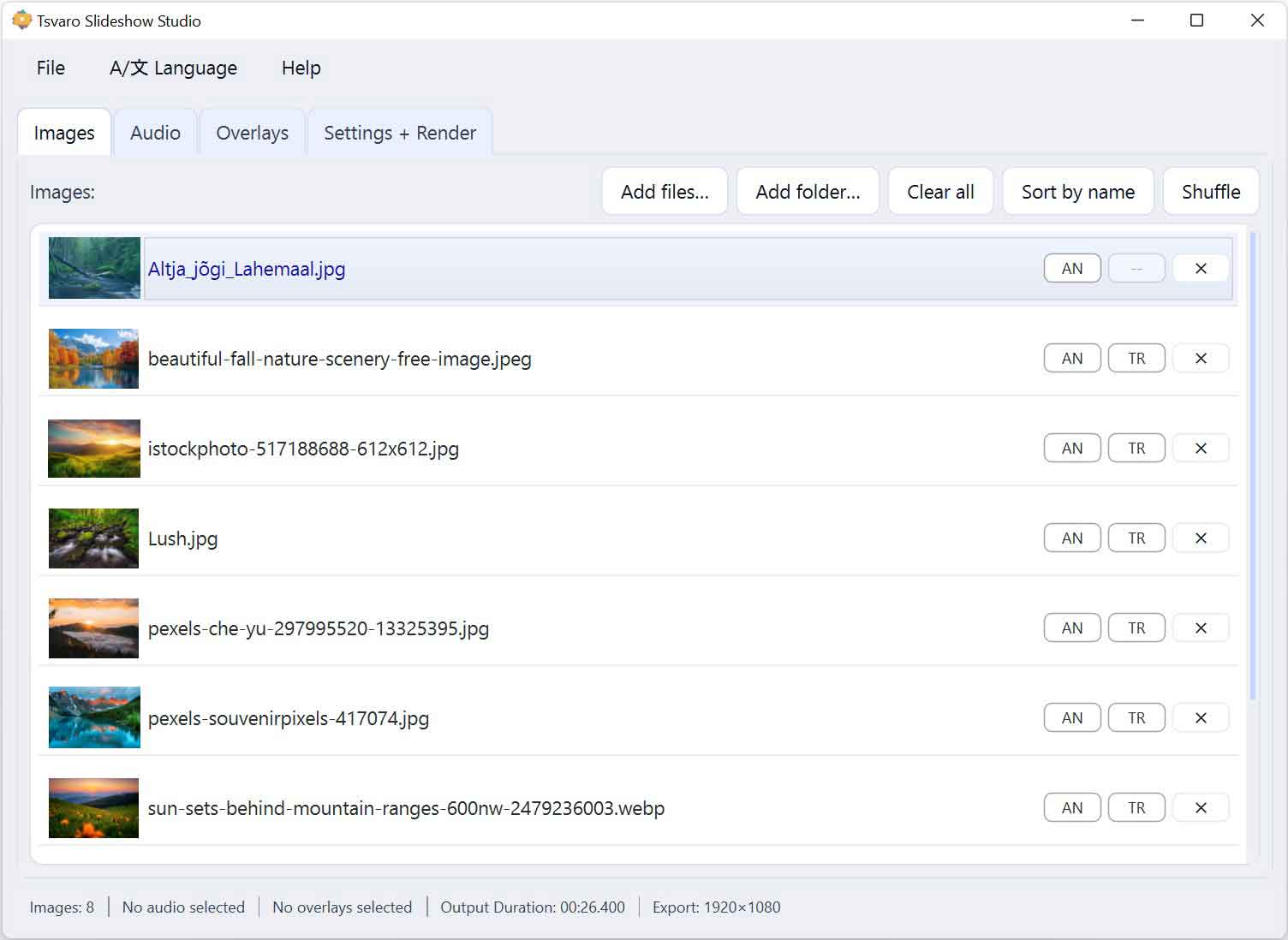
Tsvaro Slideshow Studio is a simple, free application created for one clear purpose: to help anyone turn images into a professional-quality video slideshow without learning complicated video editors. If you have ever opened a “real” video editor and felt lost in timelines, layers, dozens of panels, and endless export settings-this tool was made specifically to remove that pain.
At the same time, simplicity does not mean “basic.” Tsvaro Slideshow Studio is designed to produce clean, modern, high-quality slideshow videos that are suitable for real projects-education, exhibitions, creative portfolios, family archives, museum presentations, school events, and artistic work-while keeping the workflow straightforward and predictable.
What the app is for
The core idea is simple: you choose your images, optionally add audio, optionally add overlay layers, select a few global settings, and render a finished video. You do not need to build a timeline manually. You do not need to understand video editing theory. You do not need to spend hours learning a complex interface.
Tsvaro Slideshow Studio focuses on the exact tasks that most people actually need when creating a slideshow: a stable image sequence, smooth timing, optional transitions, subtle animations, background music, and the ability to add visual overlays such as logos or frames. That is the whole mission-nothing extra, nothing confusing.
Who it is for
This application is intended for users who want a polished slideshow result but do not want the complexity of professional editing suites. Typical users include:
- Teachers and educators creating lesson visuals, school events videos, student showcases, or classroom presentations.
- Museums, galleries, and exhibition teams preparing loopable display videos, collection highlights, exhibition promos, or screen content for public spaces.
- Artists and creative professionals building portfolio reels, visual companions for music, or minimal cinematic sequences built from still images.
- Families creating memory videos, anniversaries, travel recaps, or tributes-without needing to learn editing tools.
- Small organizations making simple promotional slideshows for events, social media, or internal presentations.
If your goal is: “I want my photos to become a clean video with music and nice movement”-this is exactly what Tsvaro Slideshow Studio is built to do.
What you can create with it
Using Tsvaro Slideshow Studio, you can create slideshow videos that include:
- Image sequences - add files or folders, reorder them, shuffle them, and prepare a clean storyline.
- Audio tracks - add background music, preview the waveform, and define which part of the audio should be used.
- Overlay layers - place logos, frames, watermarks, or other graphics on top of the slideshow.
- Animations - subtle motion applied to still images, so the slideshow feels alive and modern rather than static.
- Transitions - smooth image-to-image changes when timing rules allow it.
- Professional export settings - choose output size and FPS, and render a final MP4 file ready for playback and sharing.
The point is not to imitate a full video editor. The point is to deliver a reliable tool for one job: producing high-quality slideshow video content quickly and cleanly.
Why it stays simple (and why that matters)
Most video editors assume you want to become an editor. They require you to learn timelines, keyframes, tracks, effects panels, export profiles, codecs, and dozens of technical details. That is perfectly fine for professional editors-but for everyone else it is overkill.
Tsvaro Slideshow Studio is designed around the opposite idea: the application should do the heavy lifting for you, while you remain focused on creative choices that actually matter:
- Which images to include and in what order
- How fast the slideshow should feel
- Whether it should follow the audio duration or a fixed pacing
- Whether overlays should appear (and where)
- Which visual style (animations and transitions) fits the content
That is why the interface is organized into clear tabs and direct controls, instead of hidden advanced panels. The goal is that a first-time user can understand the workflow immediately, and an experienced user can produce output fast without wasting time.
Free tool, serious output
This is an important point: Tsvaro Slideshow Studio is free to use. It was built to be accessible, not locked behind subscriptions or complicated licensing. If you enjoy it and it helps you create something meaningful, you are welcome to support the project-but the tool remains usable without payment.
Even though it is free, the output goal is not “cheap” or “basic.” The aim is professional-looking, high-quality slideshow video-something you can confidently use in real contexts: on a projector, on a museum display, in an educational environment, on social media, or as part of an artistic project.
How to use this documentation
This documentation is written to match the actual application workflow. Each part corresponds to what you see in the interface. If you follow the sections in order, you will understand the entire process:
- Adding and managing images
- Adding and trimming audio
- Working with overlays
- Choosing global settings
- Rendering and checking output
By the end, you should feel comfortable creating a slideshow from scratch and confidently exporting a finished video using Tsvaro Slideshow Studio.
What makes a great slideshow (a quick mindset)
A good slideshow is not about “effects.” It is about rhythm and clarity. Keep these simple principles in mind:
- Order matters - a strong sequence of images creates a story even without text.
- Timing matters - slower pacing feels calm and elegant; faster pacing feels energetic.
- Audio matters - music instantly changes emotional tone; even a simple track adds depth.
- Overlays should be intentional - logos, frames, and watermarks should support the message, not distract from it.
- Consistency beats chaos - a restrained style often looks more professional than “everything at once.”
Tsvaro Slideshow Studio is built to help you achieve that balance: simple controls, strong results, and a workflow that stays friendly even for beginners.