Image List (Main List View)
Images Tab — Image List (Main List View)
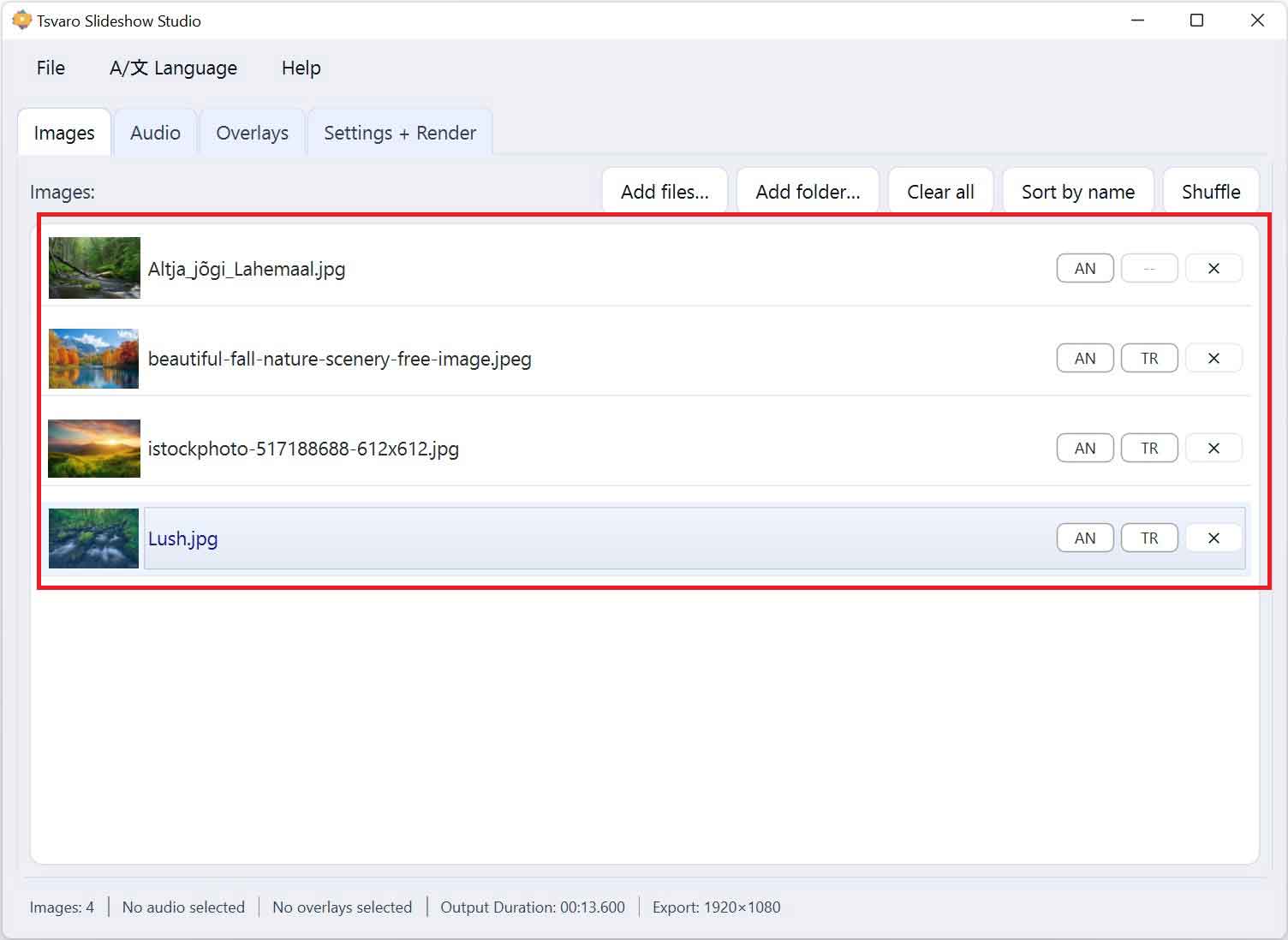
The Image List is the central working area of the Images tab in Tsvaro Slideshow Studio. It displays all images currently included in the slideshow and defines their playback order. Everything that happens visually in the final video is directly driven by this list.
Each row in the Image List represents a single image and contains both visual indicators and interactive controls. The list is fully interactive and is designed to support fast reordering, inspection, and fine-grained control on a per-image basis.
Visual structure of the list
Every image item in the list includes:
- A thumbnail preview of the image
- The image filename
- Per-image control buttons (Animations and Transitions)
- A remove button for deleting the image from the list
The vertical order of items in the list defines the exact sequence in which images appear in the rendered video.
Drag & drop reordering
Images in the list can be reordered using drag & drop.
- Click and hold an image item, then drag it up or down to a new position.
- The list updates immediately as you move items.
- The final position determines when the image appears during playback.
This allows you to fine-tune pacing, storytelling flow, or visual rhythm without re-importing images.
Selection behavior
The Image List supports standard selection behavior:
- Clicking an item selects it.
- Only one image item is actively selected at a time.
- Selection affects preview behavior and highlights the active item visually.
Selection does not change render behavior by itself; it is used primarily for inspection and interaction.
Per-image state indicators
Each image item visually reflects whether it uses global settings or individual overrides:
- AN — the image uses the global animation setting
- AN* — the image has an individual animation override
- TR — the image uses the global transition setting
- TR* — the image has an individual transition override
These indicators let you see at a glance which images differ from the global configuration without opening any dialogs.
Special behavior for the first image
Transitions are applied when an image enters the frame. Because the first image does not transition in from a previous image, transition selection is not applicable to it.
- The transition control for the first image is disabled.
- A placeholder indicator is shown instead, making this behavior explicit.
This rule ensures predictable and consistent playback behavior during rendering.
Removing images
Each image item includes a remove button.
- Clicking it removes that image from the list immediately.
- The surrounding images automatically close the gap in the sequence.
This action affects only the selected image and does not reset global or per-image settings of other items.
How the Image List drives rendering
- The list order defines the slideshow timeline.
- Per-image animation and transition overrides are respected during rendering.
- If no per-image override is set, global settings are used automatically.
By combining list order, global settings, and selective per-image overrides, the Image List provides a flexible yet controlled way to shape the final video output in Tsvaro Slideshow Studio.