Output (File Path)
Settings + Render Tab - Output (File Path)
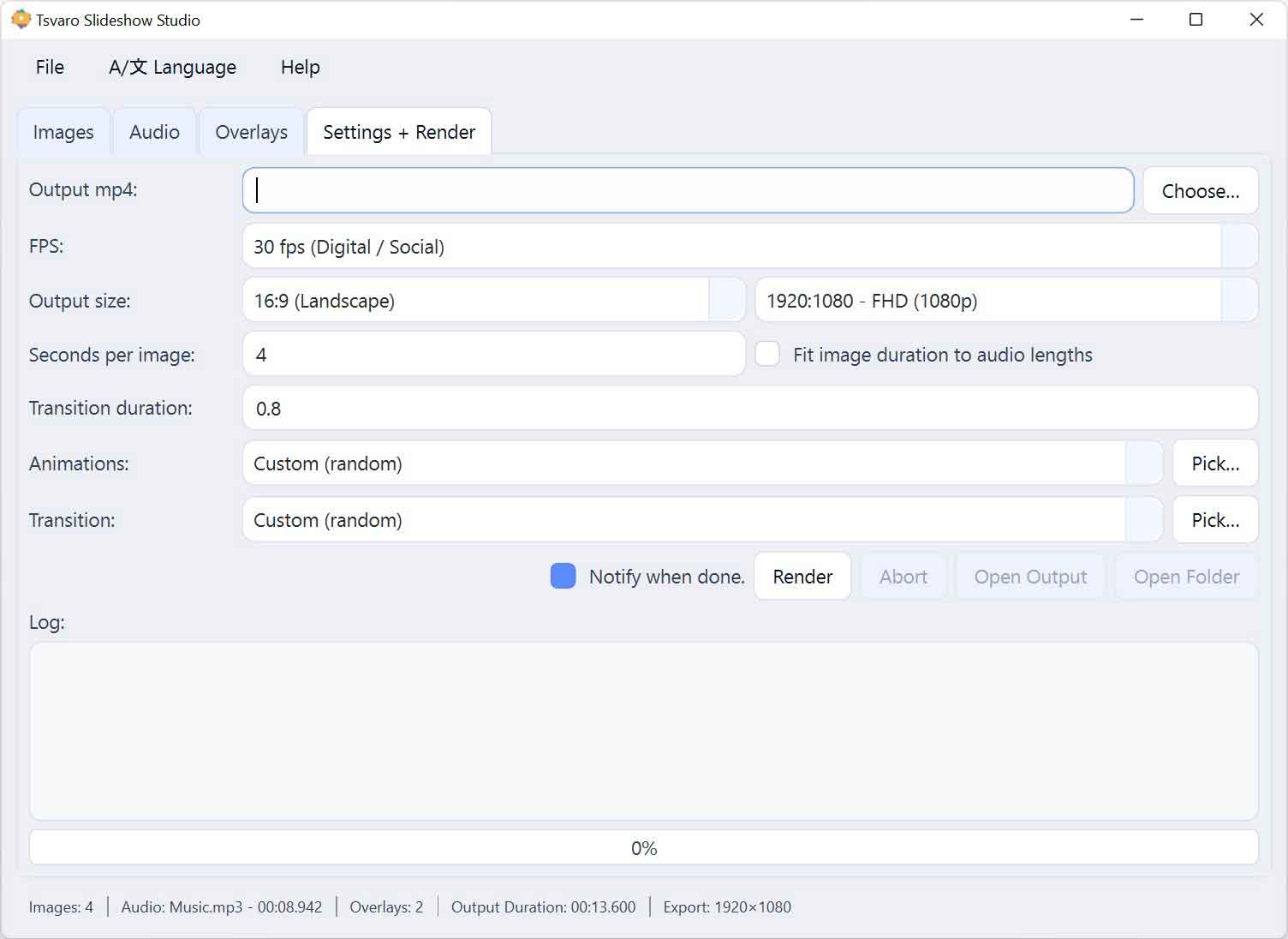
The Output (File Path) section in Tsvaro Slideshow Studio defines where the final rendered video will be saved and under what filename. This is a mandatory step in the render workflow: without a valid output path, rendering cannot begin.
This section is intentionally simple and explicit. Before you start rendering, you must clearly tell the application what to create and where to place it.
Output file field
The output file field displays the full path to the video file that will be generated during rendering.
- The path includes both the destination folder and the filename.
- The file extension reflects the selected output format.
- The field is informational and cannot be edited manually.
Seeing the full path at all times makes it immediately clear where the rendered video will appear once the process finishes.
Choose output file
The Choose… button opens a file save dialog where you select the output location.
- You choose the destination directory.
- You define the filename of the rendered video.
- The selected path replaces any previously chosen output path.
You can change the output path as many times as needed before starting the render. No files are written until the render process actually begins.
Overwrite behavior
If a file with the same name already exists at the selected location:
- The existing file will be overwritten.
- No additional confirmation dialog is shown.
For this reason, it is recommended to use unique filenames when keeping multiple versions of the same slideshow (for example, adding a version number or date to the filename).
Output directory validation
Before rendering starts, the application verifies that the selected output path is valid.
- If the path is missing, rendering is blocked.
- If the path is invalid or inaccessible, rendering cannot proceed.
This validation step prevents incomplete renders and avoids situations where a long render finishes but no output file is created.
Quick access actions
Two convenience buttons are provided next to the output path controls:
- Open Output - opens the rendered video file after rendering completes.
- Open Output Directory - opens the folder that contains the output file.
These actions save time by eliminating the need to manually navigate through folders after a render is finished.
Relationship with rendering
The output file path is evaluated at the moment the render process starts.
- Changing the output path after rendering has begun has no effect on the current render.
- The active output path is locked for the duration of the render process.
This ensures that the render process is stable and that the generated video is written to a predictable location.
Recommended workflow
- Select your output path before pressing Render.
- Double-check the filename and destination folder.
- After rendering completes, use Open Output or Open Output Directory for immediate access.
By making the output destination explicit and mandatory, Tsvaro Slideshow Studio avoids ambiguity and gives you full confidence about where your final video is stored.