Transitions (Global)
Settings + Render Tab - Transitions (Global)
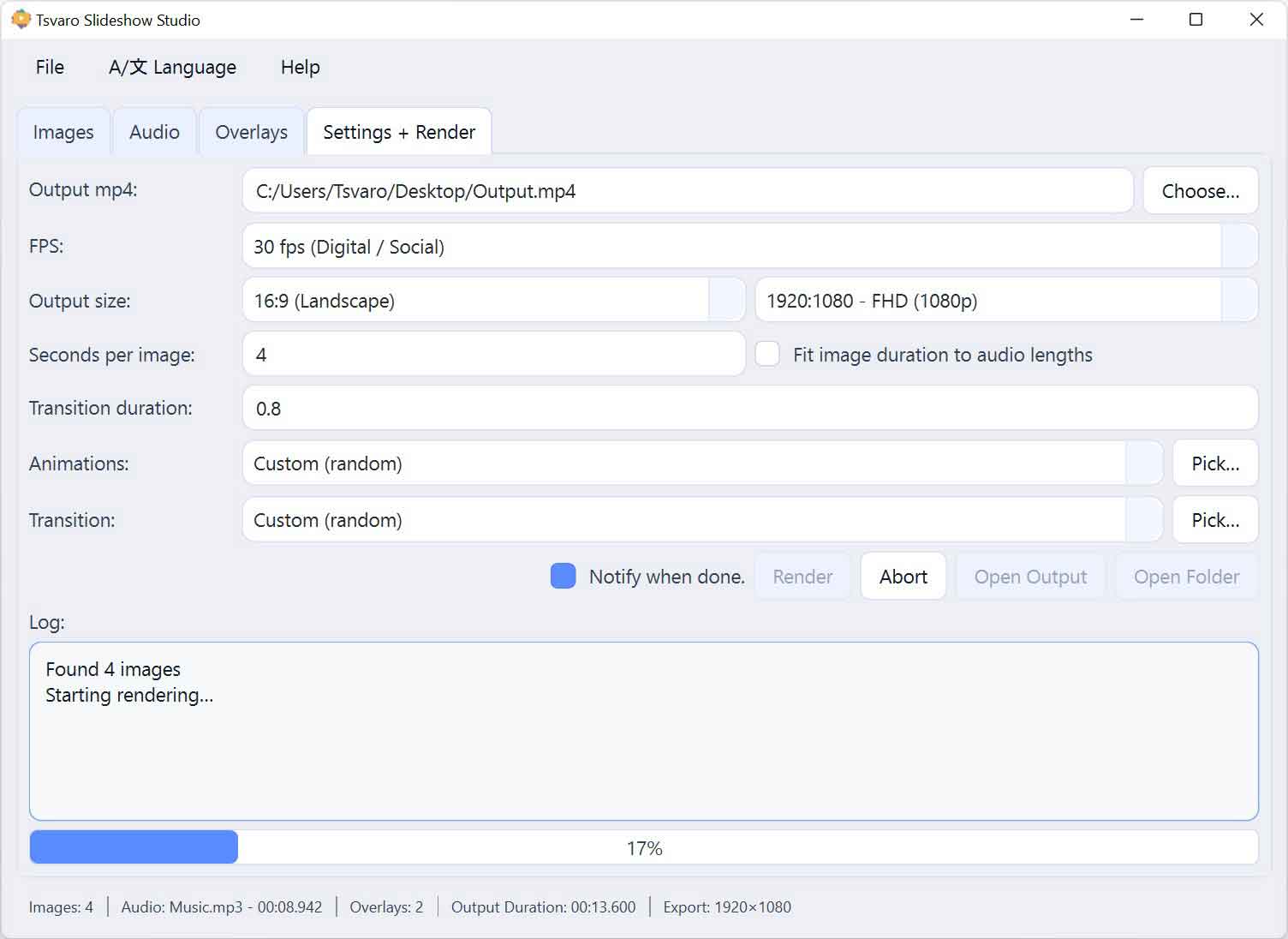
The Transitions (Global) section in Tsvaro Slideshow Studio controls how images visually change from one to the next across the slideshow. Transitions define the visual overlap between consecutive images and are applied uniformly unless explicitly overridden on a per-image level.
Unlike some editors, Tsvaro Slideshow Studio does not provide a single fixed “transition preset selector”. Instead, transition behavior is defined through duration and an optional random transition pool. This design keeps the system flexible while avoiding invalid or unstable combinations.
Transition duration
The Transition duration field defines how long the overlap between two consecutive images lasts. This value is measured in seconds and directly affects how smooth or abrupt image changes feel.
- Type: numeric text field
- Applies to: all image transitions globally
A valid transition duration must be a positive value greater than zero. If the transition duration is set to 0, the application treats this as an invalid state for transitions.
When the transition duration is 0, Tsvaro Slideshow Studio will raise a validation error indicating that the transition duration must be greater than zero. This protects the render pipeline from entering an undefined or unstable state.
Automatic validation rules
Transitions are subject to strict validation rules enforced by the application:
- Transition duration must be greater than 0.
- Transition duration must be shorter than the image duration.
If these conditions are not met, transitions cannot be applied safely. In such cases, the application prevents rendering and reports the issue to the user instead of producing a broken or unpredictable video.
Random transitions
Instead of selecting a single fixed transition type, Tsvaro Slideshow Studio allows you to enable Random transitions.
- When enabled, each image change uses a randomly selected transition.
- The selection is performed from a user-defined transition pool.
- Random selection happens per transition, not per frame.
This approach allows variety while keeping transitions within a controlled, predefined set.
Transition pool (allowed transitions)
When random transitions are enabled, the application opens a selection dialog where you define which transition types are allowed.
- You can manually enable or disable individual transitions.
- You can select all available transitions or clear the selection.
- The selected pool is saved and reused for future sessions.
If the transition pool is empty while random transitions are enabled, no transitions can be applied. This situation is treated as invalid and must be corrected before rendering.
Interaction with per-image transitions
Although transitions are defined globally, individual images can have their own transition explicitly assigned.
- A per-image transition overrides the global behavior.
- The global random pool is ignored for that specific image change.
This makes it possible to keep most of the slideshow consistent while allowing specific image changes to stand out when needed.
Practical guidance
- Always set a transition duration greater than zero if you intend to use transitions.
- Keep transition duration comfortably shorter than image duration.
- Use random transitions only when visual variety is desired.
- If you want absolute visual consistency, avoid randomness and rely on per-image overrides where needed.
The transition system in Tsvaro Slideshow Studio is deliberately strict. By enforcing clear validation rules, the application ensures that every rendered video is stable, predictable, and free from timing errors.